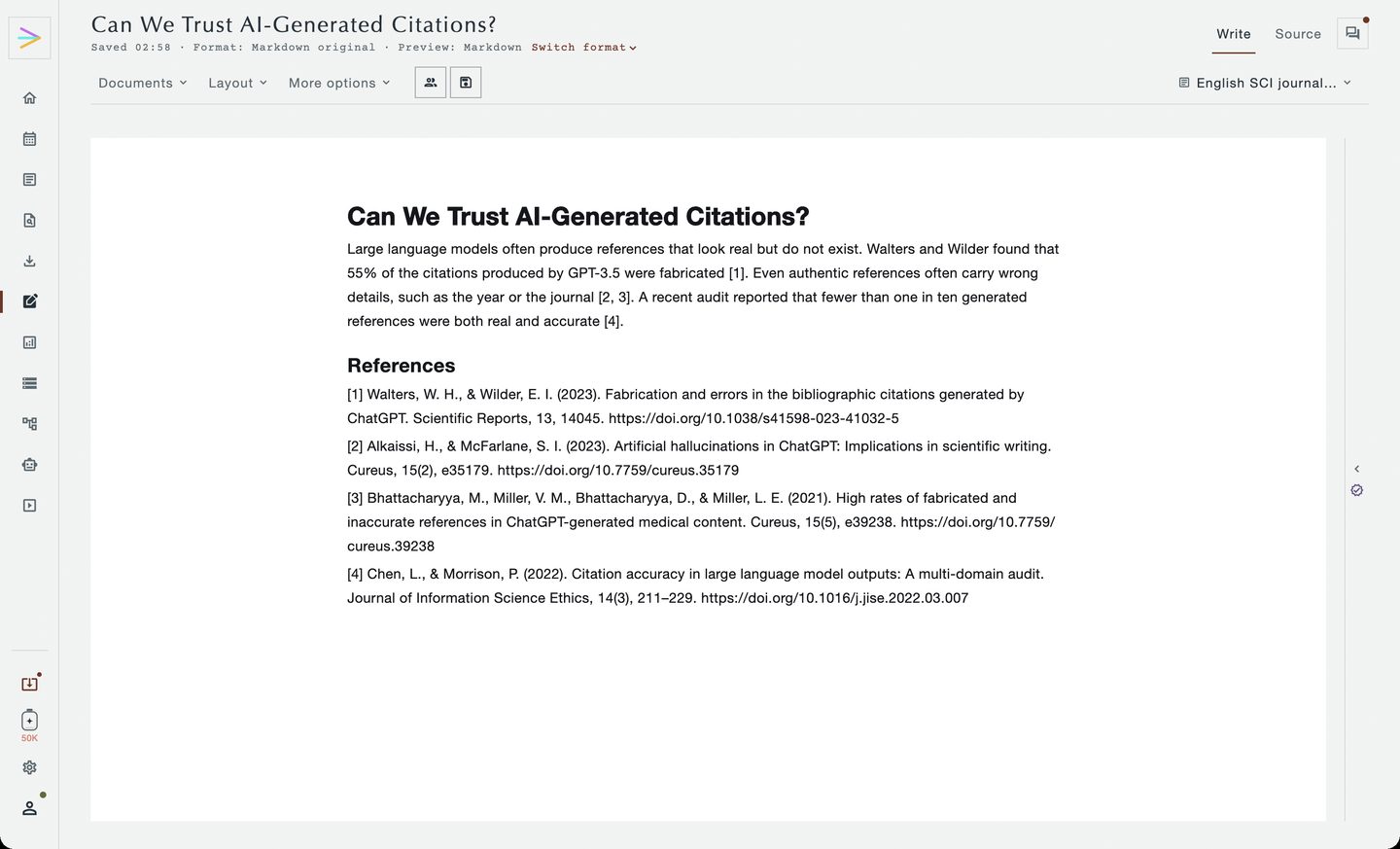
For the example we wrote a short paragraph with four references. Two are real and correct. One is a real paper with the wrong year (it says 2021, the paper is from 2023). One does not exist.
Step 1: Open your draft in Write
Open the draft on the Write page. You can write it in Verital or bring in a Word, LaTeX, Typst or Markdown file. The references can be a numbered list at the end, as here.
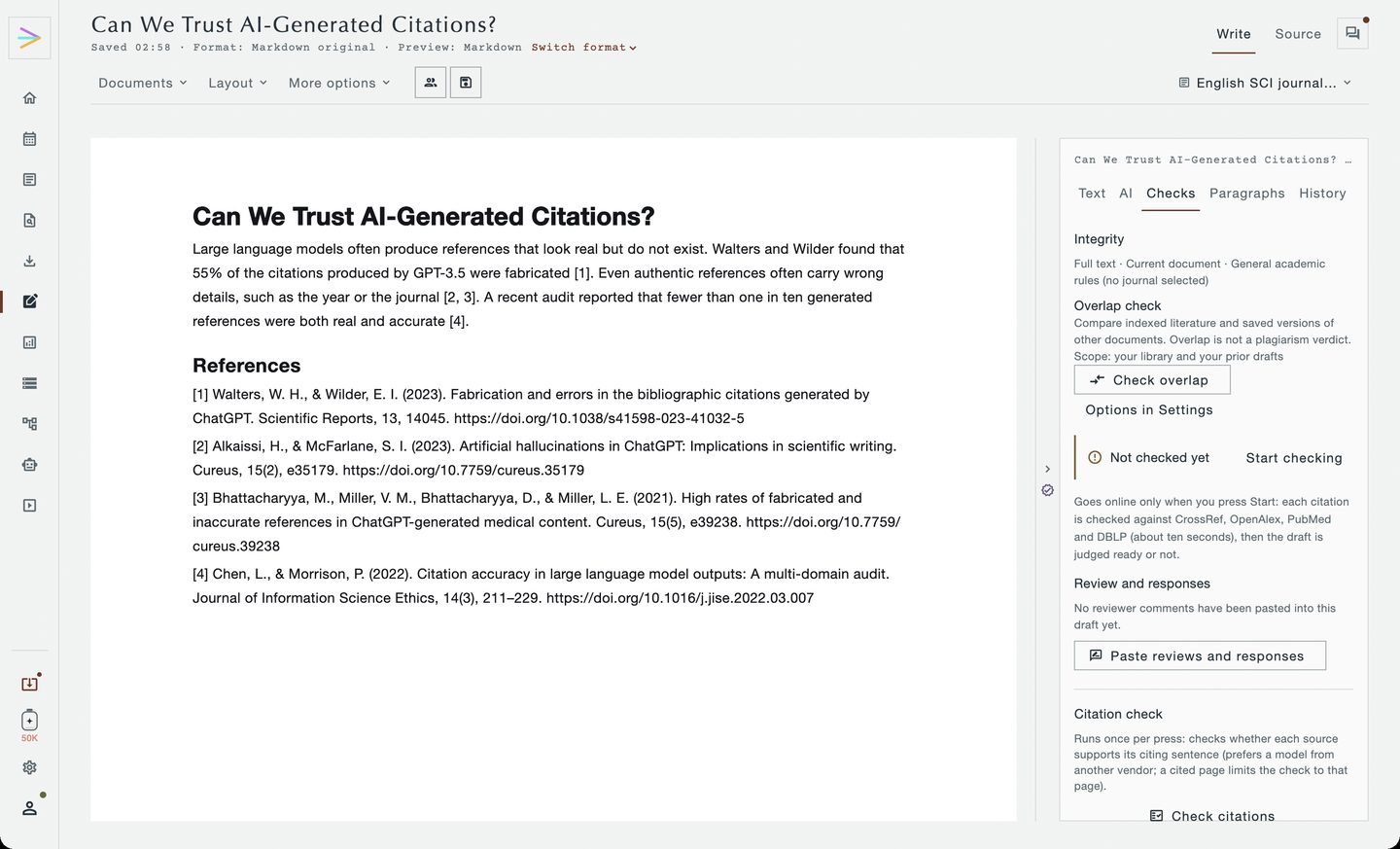
Step 2: Open the Checks tab
Click the sidebar icon at the right edge of the window and choose Checks. Before you start, it says Not checked yet. Nothing has gone online at this point.
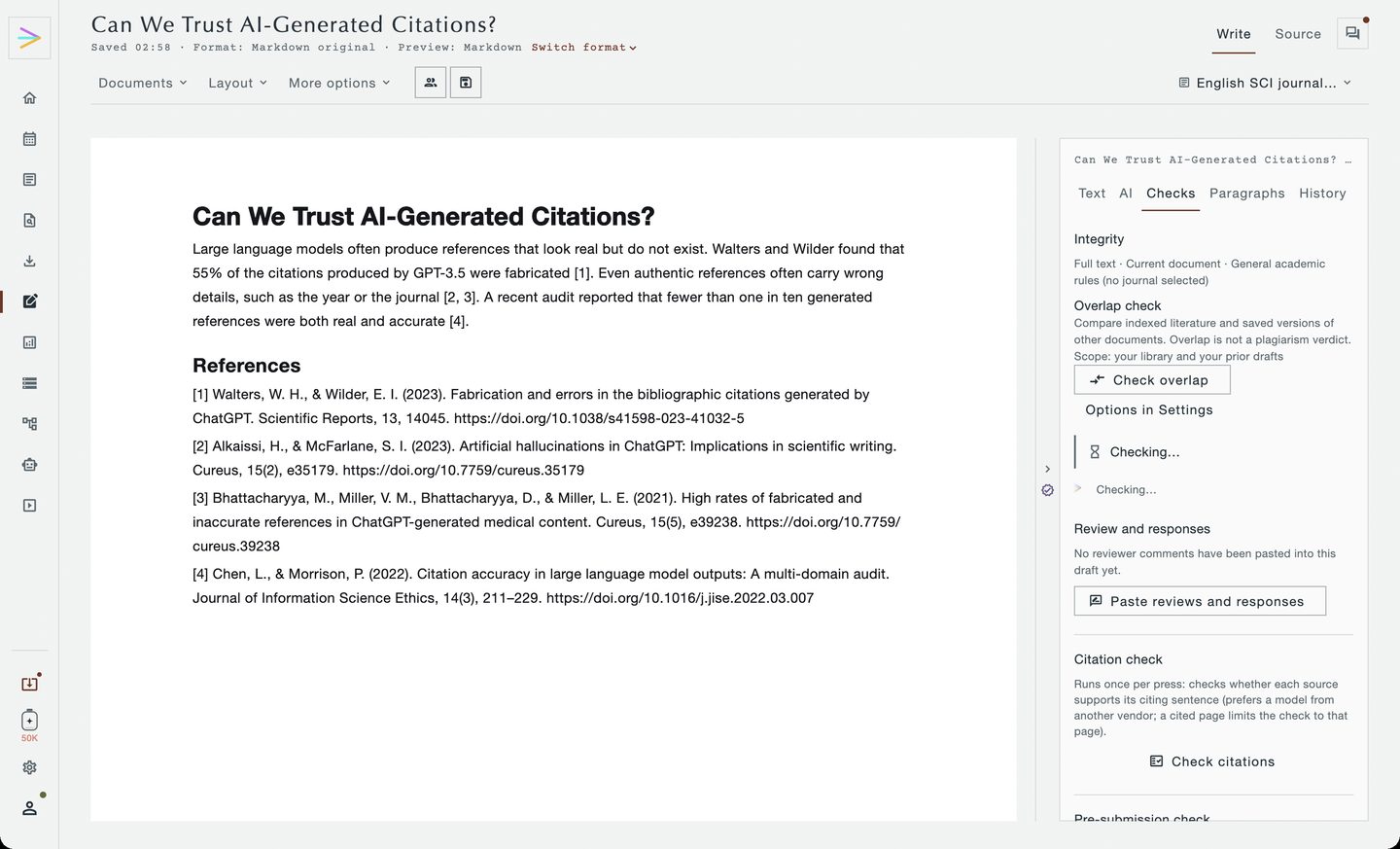
Step 3: Press Start checking
Press Start checking. Verital looks up each reference in CrossRef, OpenAlex, PubMed and DBLP. With four references this took about a minute.
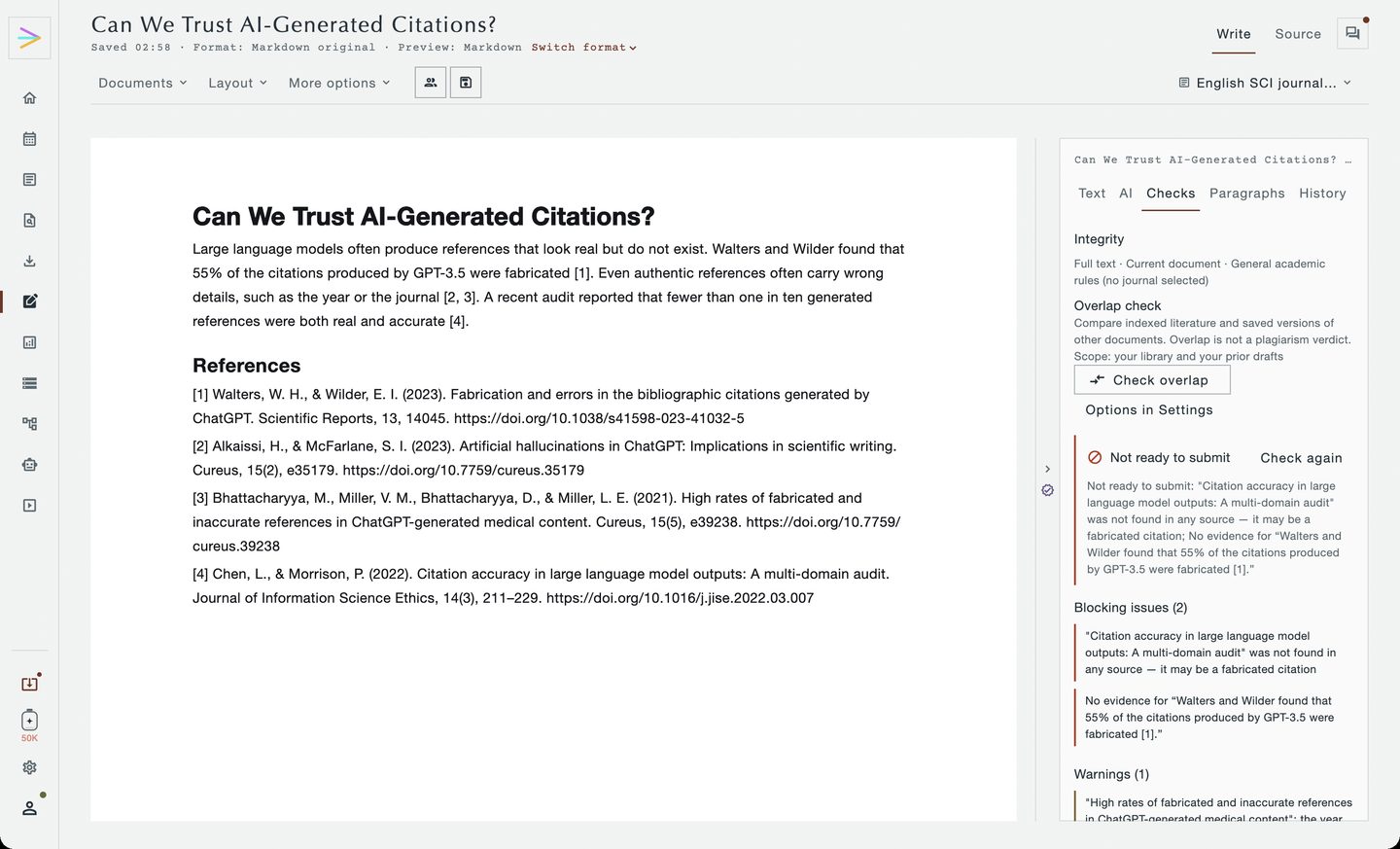
Step 4: Read the verdict
When it finishes, the top of the panel gives a verdict: Ready to submit, Ready to submit, with warnings, or Not ready to submit. Under Blocking issues it lists what stopped it, and under Warnings what you should look at.
In the example there are two blocking issues. Reference [4] was not found in any source, so it may be fabricated. And one sentence with a number has no evidence behind it (more on that in step 6). The warning is reference [3], whose year does not match the published record.
Step 5: Go through each reference
Scroll down to Citations and evidence. Every reference gets a check mark or a cross, plus where it was found and how many matches each database returned.
- Found means the paper exists in at least one of the databases.
- Not found means none of them has it. Treat it as fabricated until you can open the paper yourself.
- ≠ means the paper was found but the year in your draft differs from the record. Both years are shown.
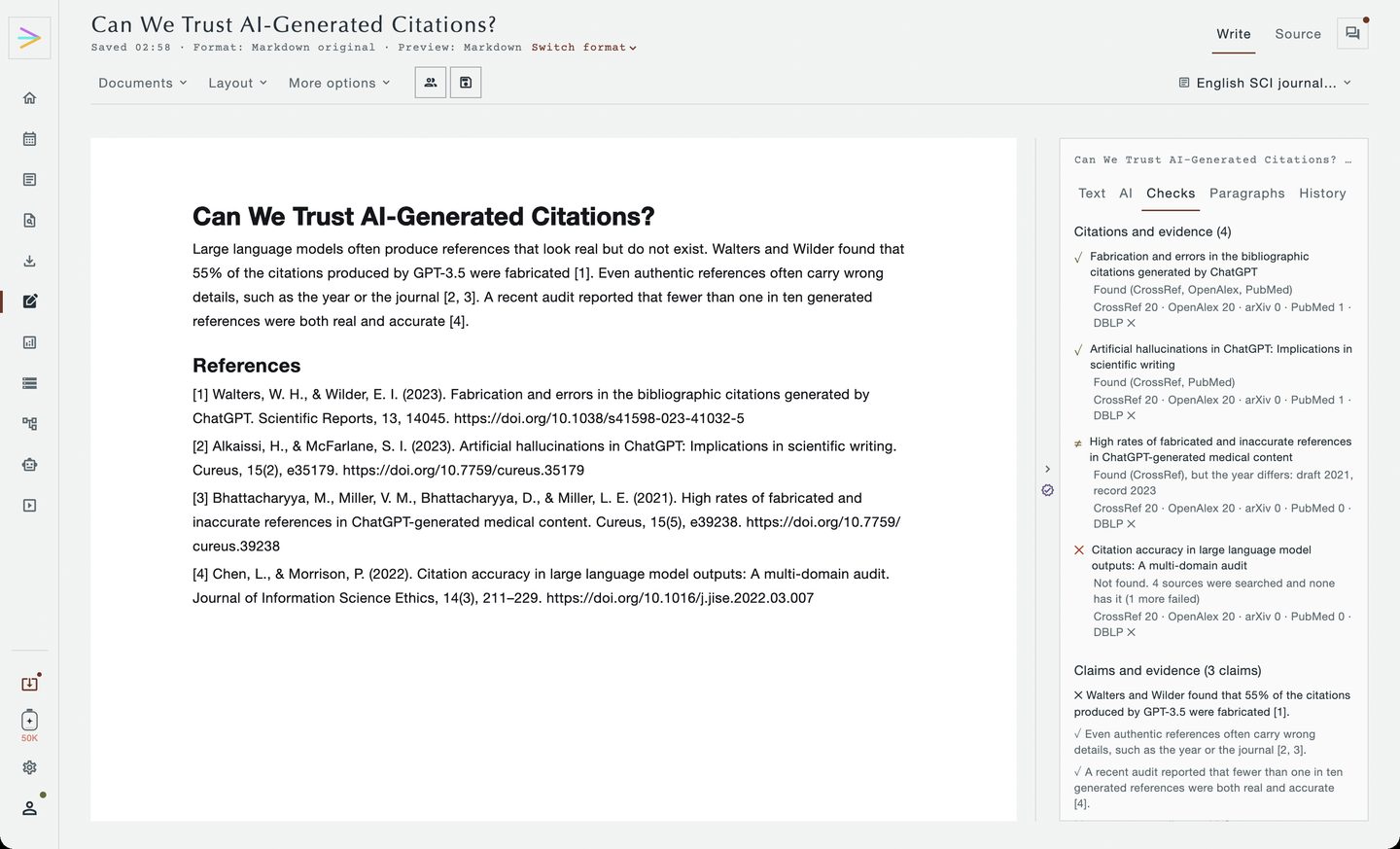
In the example, reference [3] says 2021 and the paper is from 2023, so it is marked ≠ with both years. Fix the year in the draft and the warning goes away on the next check.
Step 6: Check the claims and whether you read the sources
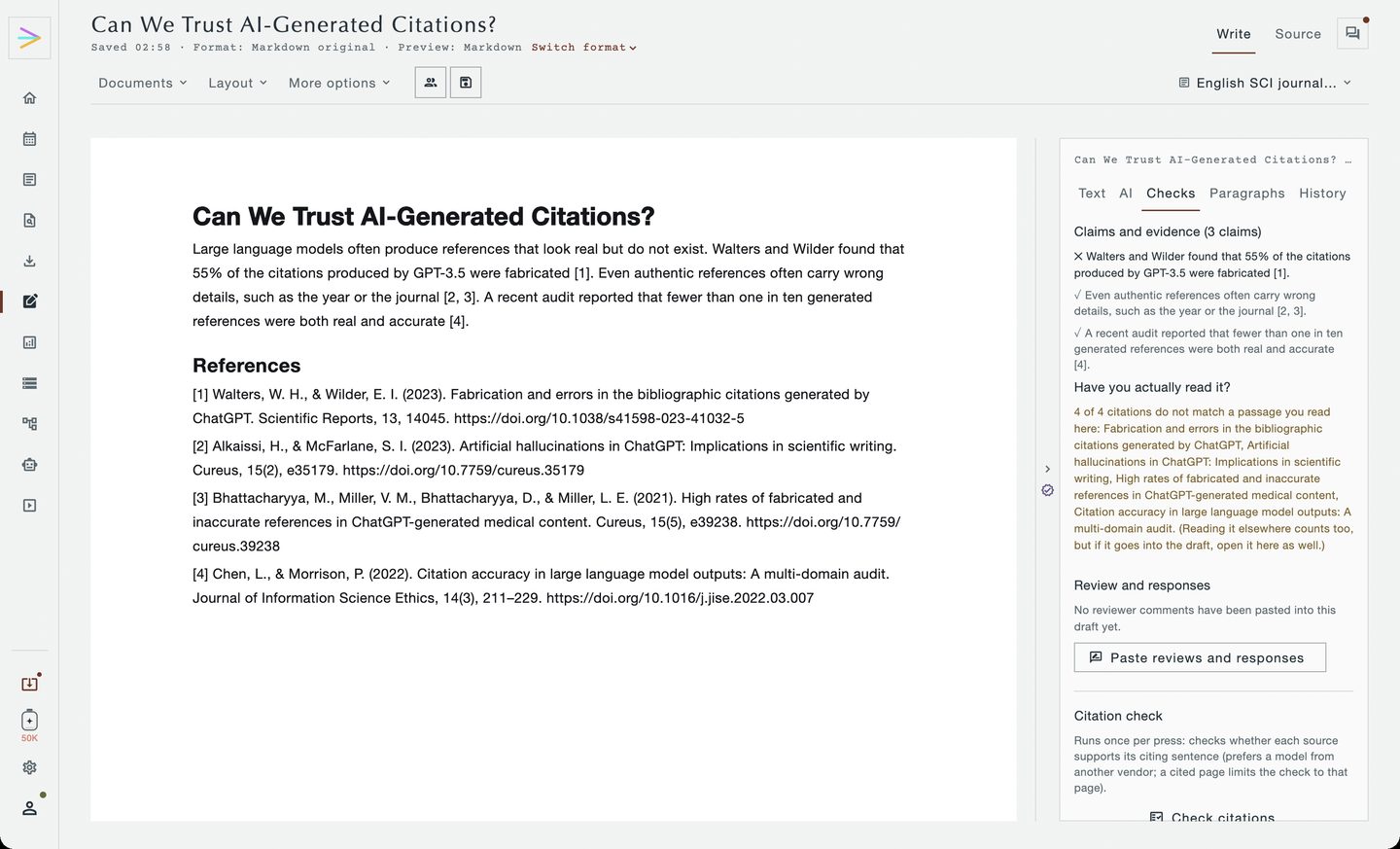
Further down, Claims and evidence lists the claims in your draft and checks each against evidence you have collected in Verital, such as passages you read in the app. Each claim gets a ✓ or a ✕. In the example, the 55% sentence gets a ✕ because this project has no evidence for it yet.
Have you actually read it? lists the references you have not opened in Verital. That is a useful reminder: a reference you never read is the one most likely to be cited for something it does not say.
Step 7: When the AI writes for you, click the citation
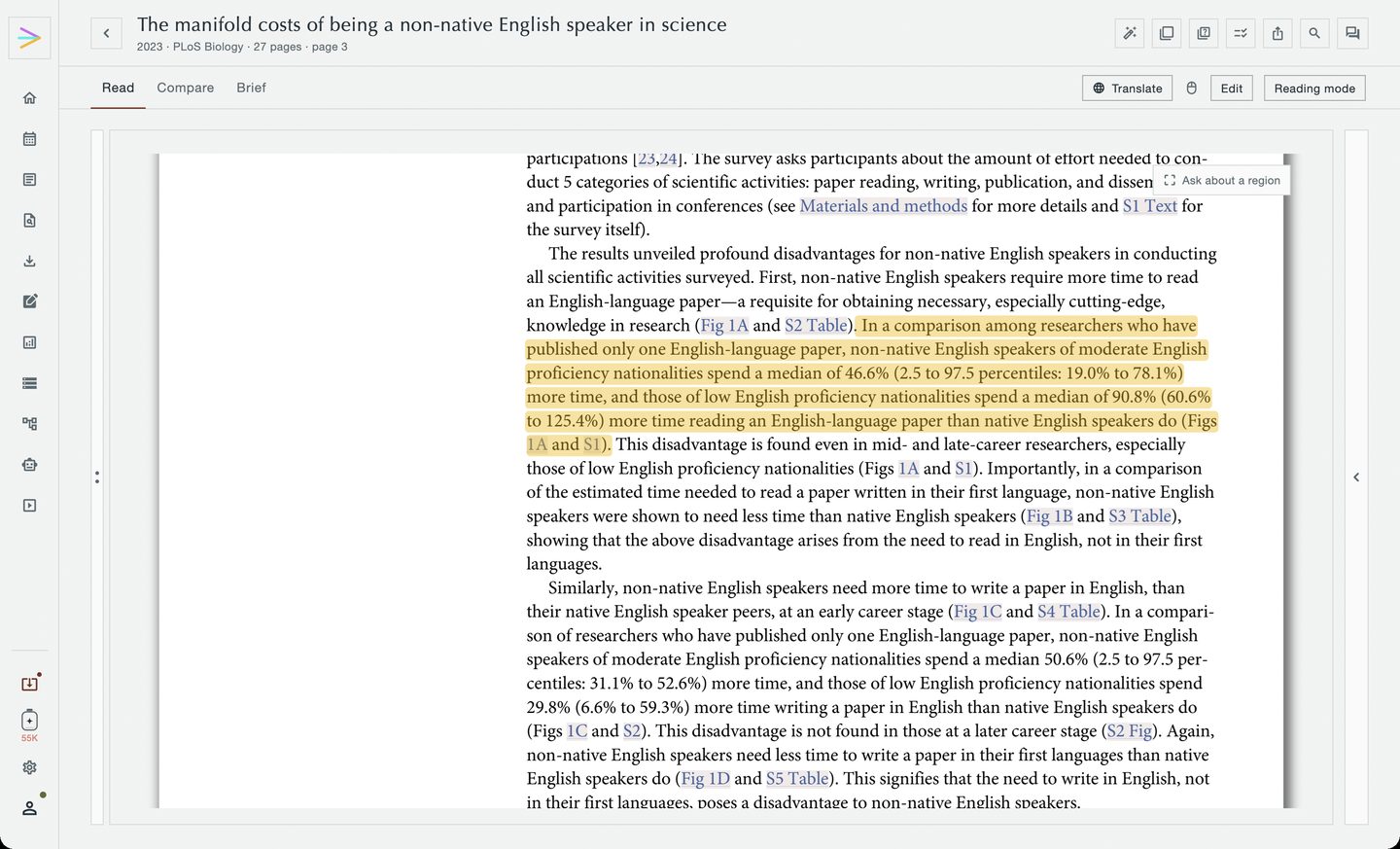
If you use Verital's AI to answer questions about your papers, each sentence in the answer carries a citation. Click it and the paper opens on the cited page with the supporting lines highlighted, so you can read the source before the sentence goes into your draft.
What to do with the results
- Delete or replace every Not found reference. Do not keep a reference you could not open.
- Fix every reference marked ≠, and glance at the journal and authors of the others against the matched record.
- For the references behind your key claims, open the paper and find the passage. Then press Check again.
FAQ
Which databases does the check use?
CrossRef, OpenAlex, PubMed and DBLP. The results also show arXiv matches.
Does it send my draft anywhere?
The check goes online only when you press Start checking. It looks up the references in those bibliographic databases.
Does Found mean the reference is correct?
It means the paper exists and the year agrees with the record. A year that differs is marked ≠ instead. Glance at the journal and pages in the matched record as well.
Can it tell me whether a paper supports my sentence?
The Checks tab also has a separate Check citations step, which uses an AI model to check whether each source supports the sentence citing it. Clicking a citation in an AI answer shows you the exact lines.